Screen Time, Learning Activities & Educational Games for Kids
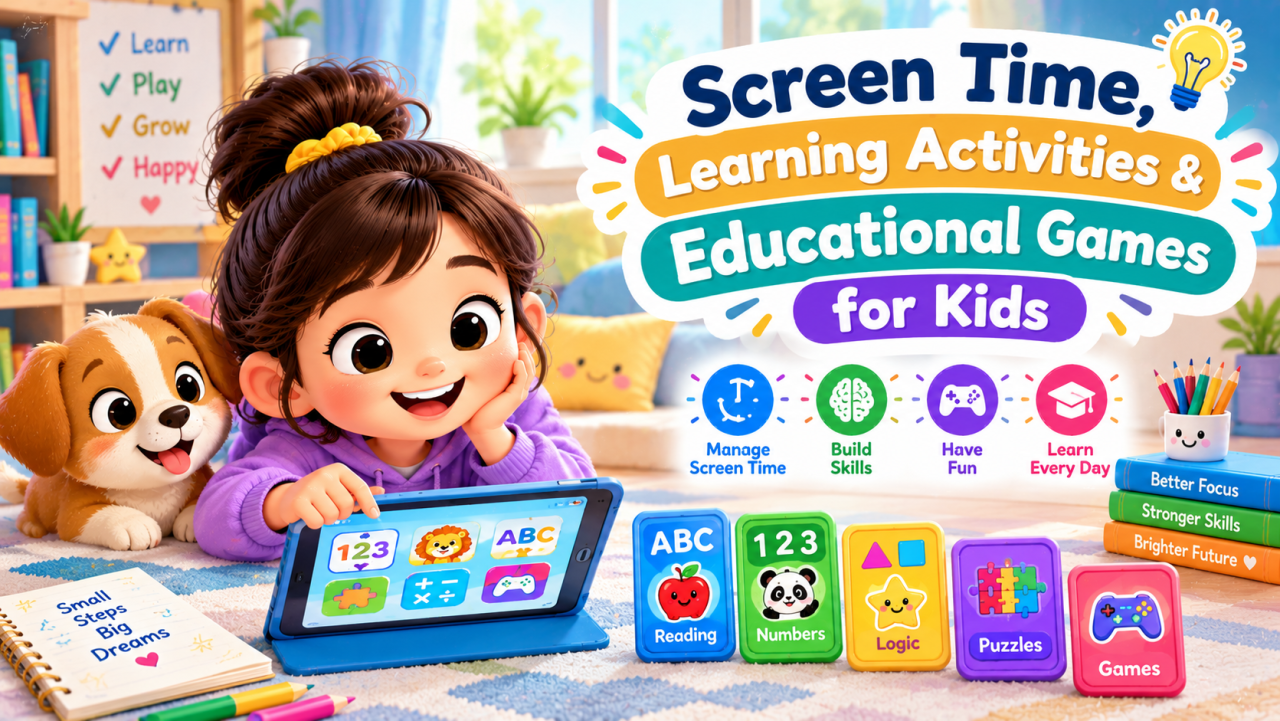
Learn how to manage screen time for kids with simple learning activities and educational games that support creativity, problem-solving, reading, math, and healthy play habits.
Screen Time, Learning Activities & Educational Games for Kids
Introduction
Screens are now a common part of children's daily lives. Kids may use phones, tablets, computers, televisions, and other digital devices for entertainment, communication, schoolwork, and learning.
The important question is not simply whether children use screens. Parents and teachers also need to consider what children are doing on a screen, how they are using it, and what other activities are part of their day.
Screen time, learning activities, and educational games can be managed together as part of a balanced routine.
A child can enjoy a digital puzzle and then move to a drawing activity, read a book, play outdoors, complete a worksheet, or build something with blocks.
This approach gives children different ways to learn and play instead of relying on one type of activity.
In this guide, we will look at practical screen-time ideas, learning activities, educational games, screen-free alternatives, and simple ways parents and teachers can create a balanced routine.
Worksheets & Activities
What Is Screen Time?
Screen time refers to time spent using devices with screens.
Common examples include:
- Smartphones
- Tablets
- Computers
- Televisions
- Gaming devices
- Educational apps
- Video platforms
- Digital learning platforms
Not all screen activities are the same.
A child watching an educational video, attending an online class, playing a puzzle game, and watching random entertainment content are doing very different things.
That is why parents can look at the quality and purpose of screen use, along with the amount of time.
Why Screen-Time Balance Matters
Children need a variety of experiences while growing and learning.
These can include:
- Reading
- Writing
- Drawing
- Physical activity
- Outdoor play
- Creative play
- Family conversations
- Social interaction
- Hands-on activities
- Rest and sleep
Digital activities can be one part of this mix.
The goal is to create a routine where screens do not replace important everyday experiences.
For example, a simple afternoon might include:
Educational game → snack → outdoor play → reading → creative activity
This gives the child opportunities to use different skills.
What Are Learning Activities for Kids?
Learning activities are activities designed to help children develop knowledge or skills while keeping them actively involved.
They do not always need a textbook.
A learning activity can be as simple as:
- Sorting objects by color
- Counting household items
- Reading a short story
- Drawing a picture
- Building a shape with blocks
- Solving a puzzle
- Matching letters
- Measuring ingredients
- Playing a memory game
- Writing a short story
The best activity depends on the child's age and learning level.
What Are Educational Games?
Educational games for kids combine play with learning.
They can be digital or screen-free.
Examples include:
- Math games
- Word games
- Spelling games
- Memory games
- Matching games
- Pattern games
- Logic puzzles
- Shape games
- Reading games
- Vocabulary games
- Strategy games
Educational games can make practice feel more enjoyable because children are actively solving problems rather than simply receiving information.
Digital Educational Games vs Screen-Free Games
Educational games do not have to involve a screen.
| Type | Examples | Skills Practised |
|---|---|---|
| Digital games | Math apps, word games, puzzles | Math, reading, problem-solving |
| Card games | Matching cards, number cards | Memory, counting, matching |
| Board games | Simple strategy games | Turn-taking, planning, reasoning |
| Puzzle activities | Jigsaw puzzles, logic puzzles | Observation, problem-solving |
| Movement games | Treasure hunts, action games | Movement, listening, following directions |
| Creative games | Drawing challenges, storytelling | Imagination, language, creativity |
A balanced routine can include both digital and non-digital activities.
Types of Learning Activities for Kids
1. Reading Activities
Reading activities help children become familiar with words, sentences, stories, and ideas.
Simple activities include:
- Reading picture books
- Matching pictures with words
- Finding a specific letter
- Reading short sentences
- Retelling a story
- Creating a story ending
- Identifying characters
- Finding new words
For early learners, picture-based reading activities can be useful.
Older children can work with short stories, comprehension questions, and creative writing.
2. Math Activities
Math does not always need to happen on a worksheet.
Parents can turn everyday situations into simple math activities.
For example:
Counting: Count toys, pencils, fruits, or steps.
Sorting: Group objects by size, shape, or color.
Addition: Ask a child to count how many apples are in two groups.
Measurement: Compare the length of two objects.
Patterns: Create a pattern such as:
Circle → Square → Circle → Square
Then ask the child what comes next.
These activities connect mathematical ideas with everyday experiences.
3. Creative Activities
Creative learning gives children opportunities to make something of their own.
Examples include:
- Drawing
- Coloring
- Painting
- Paper crafts
- Clay activities
- Story writing
- Puppet making
- Collage
- Building models
There does not always need to be one correct answer.
Creative activities can allow children to make choices and explain their ideas.
4. Logic and Problem-Solving Activities
Logic activities encourage children to think about relationships, patterns, and solutions.
Examples include:
- Mazes
- Matching puzzles
- Odd-one-out activities
- Pattern completion
- Simple riddles
- Sorting games
- Sequence activities
- Building challenges
For younger children, keep the problem simple.
As children become more confident, introduce puzzles with multiple steps.
5. Memory Games
Memory games can be played with or without a device.
Try these simple activities:
Remember the Objects
Place five objects on a table.
Give the child a few moments to look at them.
Cover the objects and ask the child to name as many as possible.
What Changed?
Place several objects in front of the child.
Ask the child to close their eyes.
Remove or move one object.
Ask:
“What changed?”
Remember the Sequence
Say three simple words or actions.
For example:
Clap → Jump → Sit
Ask the child to repeat them in the same order.
Gradually increase the sequence as the child becomes comfortable.
Educational Screen-Time Ideas
Screens can also be used for structured learning activities.
Digital Storytelling
Children can watch or listen to an age-appropriate story.
Afterward, ask:
- Who was the main character?
- What happened first?
- What happened next?
- What was the problem?
- How was it solved?
The screen activity then becomes the starting point for a conversation.
Digital Drawing
Drawing apps can provide a creative activity.
Children can draw:
- Animals
- Houses
- Families
- Nature scenes
- Shapes
- Imaginary characters
After drawing, ask the child to explain the picture.
This adds speaking and storytelling to the activity.
Digital Puzzles
Simple digital puzzles can encourage:
- Matching
- Pattern recognition
- Visual observation
- Problem-solving
- Shape recognition
Choose games that are appropriate for the child's age and ability.
Digital Math Games
Math games can provide practice with:
- Counting
- Number recognition
- Addition
- Subtraction
- Shapes
- Patterns
- Measurement concepts
Parents can follow a digital game with a real-world activity.
For example:
Digital counting game → Count real objects at home
This connects digital learning with hands-on learning.
Screen-Free Learning Activities
Not every learning activity needs a device.
1. Treasure Hunt
Hide several objects around a room.
Give the child simple clues.
For example:
“Look under something that you use for sitting.”
Children can practise listening, observation, and problem-solving.
2. Sorting Game
Collect safe household objects.
Ask children to sort them by:
- Color
- Size
- Shape
- Material
- Purpose
Older children can explain why they created each group.
3. Story Building
Start with one sentence:
“One morning, a little bird found a mysterious box.”
Ask the child to continue the story.
Each person can add one sentence.
This can become a fun family storytelling activity.
4. Shape Hunt
Ask children to find objects shaped like:
- Circle
- Square
- Rectangle
- Triangle
- Oval
This turns the home into a simple learning environment.
5. Learning With Household Items
Everyday objects can become learning tools.
| Household Item | Possible Activity |
|---|---|
| Spoons | Counting |
| Socks | Matching |
| Books | Sorting |
| Cups | Size comparison |
| Toys | Classification |
| Buttons | Patterns |
| Boxes | Building |
| Fruits | Counting and sorting |
Always use age-appropriate and safe objects.
Screen Time and Active Play
Children also need opportunities to move.
After a period of screen-based learning, parents can introduce a movement activity.
Examples:
- Jumping
- Dancing
- Stretching
- Walking
- Ball games
- Obstacle courses
- Outdoor play
- Simple yoga activities
- Treasure hunts
A simple routine can alternate between sitting activities and movement.
For example:
20 minutes of reading → movement break → puzzle → outdoor play
The exact schedule should be adapted to the child's age, needs, school routine, and family circumstances.
Age-Wise Learning Activity Ideas
Different age groups benefit from different types of activities.
| Age Group | Learning Activities | Educational Games |
|---|---|---|
| 2–3 years | Matching, sorting, naming objects | Picture matching, simple shape games |
| 4–5 years | Letters, counting, coloring, patterns | Memory games, phonics games |
| 6–7 years | Reading, basic math, writing | Word games, number games, puzzles |
| 8–10 years | Comprehension, problem-solving, creative projects | Strategy games, logic puzzles |
| 10+ years | Research, writing, advanced problem-solving | Strategy, coding, quiz, reasoning games |
These are general examples rather than strict rules.
Children develop at different rates, so activities should be adjusted to their abilities.
A Simple Balanced Activity Routine
Parents do not need to create a complicated timetable.
A simple daily routine might look like this:
| Time/Period | Activity |
|---|---|
| Morning | Reading or school learning |
| After school | Snack and rest |
| Afternoon | Educational game or creative activity |
| Later | Outdoor or physical play |
| Evening | Family conversation or reading |
| Before bed | Calm story or book |
The exact timing will differ between families.
The main idea is to give children a variety of activities throughout the day.
Choosing Better Educational Games
When selecting an educational game, parents can ask a few simple questions.
Does the game match the child's age?
A game that is too easy may become boring.
A game that is too difficult may cause frustration.
Does the child actually participate?
Look for activities where children make choices, solve problems, match information, create something, or respond to challenges.
Does it have a clear learning purpose?
Ask what the child is practising.
For example:
“This game helps with number recognition.”
or
“This activity practises vocabulary.”
Can the learning continue off-screen?
A good digital activity can sometimes lead to a real-world activity.
For example:
Shape game → Find shapes around the house
This creates a connection between digital and hands-on learning.
Final Thoughts for Part 1
Screen time does not have to be viewed as completely separate from learning.
The type of activity matters.
Educational games, digital stories, puzzles, and learning apps can be part of a child's routine when they are combined with reading, creative activities, physical play, hands-on learning, family interaction, and rest.
Parents can focus on creating a balanced mix of activities rather than relying on screens as the only form of entertainment or learning.
The next step is to make that balance practical and easy to follow.
Next (Part 2) will include advanced screen-time strategies, practical learning activity ideas, educational game comparisons, pros & cons, common mistakes, best practices, and actionable routines for parents and teachers.
Worksheets & Activities
- Story Land
- Number Ninjas
- Word Wizards
- Brain Boosters
- Puzzle Path
- Art Studio
- Learning worlds to explore
Screen Time, Learning Activities & Educational Games for Kids — Part 2
How to Make Screen Time More Meaningful
Screen time can have different purposes. A child may use a device for schoolwork, reading, creative activities, communication, games, or entertainment.
Instead of treating every type of screen activity in exactly the same way, parents can look at the purpose and quality of the activity.
A useful approach is to ask:
- Is the activity appropriate for the child's age?
- Is the child actively participating?
- Does the activity have a clear purpose?
- Is the child learning, creating, solving, or communicating?
- Does the activity fit into the child's overall daily routine?
- Is there enough time for sleep, movement, reading, and offline play?
This helps parents make more thoughtful choices without making every screen activity feel like a lesson.
Educational Games vs Traditional Learning Activities
Both digital games and traditional activities can support learning.
| Feature | Educational Games | Traditional Activities |
|---|---|---|
| Format | Digital or interactive | Usually hands-on or paper-based |
| Engagement | Often interactive | Depends on the activity |
| Feedback | May be immediate | Usually provided by an adult or worksheet |
| Materials | Device and software | Books, cards, paper, toys, objects |
| Skills | Depends on the game | Can target specific skills |
| Creativity | Varies by activity | Often flexible |
| Social interaction | Can be individual or multiplayer | Often easier to do together |
| Movement | Usually limited | Can include physical movement |
| Best use | Short, focused learning sessions | Flexible learning and play |
Neither format needs to replace the other.
A balanced routine can include both.
Advanced Learning Activities for Kids
As children grow, activities can become more challenging.
Pattern Challenges
Create a sequence such as:
2, 4, 6, 8, ?
Ask the child to identify the next number.
For younger children, use colors or shapes instead:
Red → Blue → Red → Blue → ?
This can help children notice relationships and sequences.
Word Building Games
Give children a group of letters and ask them to make words.
For example:
C – A – T
The child can create:
CAT
Older children can create multiple words from a larger group of letters.
Mystery Object Game
Put an object inside a bag without showing it.
Give clues such as:
- It is small.
- You can hold it in one hand.
- It is used at school.
- It can write.
The child guesses the object.
This combines listening, vocabulary, reasoning, and observation.
Build Something Challenge
Give children blocks, paper cups, cardboard, or other safe materials.
Set a simple challenge:
“Can you build a bridge that can hold three toy cars?”
There does not need to be only one correct solution.
The activity encourages children to plan, build, test, and improve.
Creative Screen-Time Activities
Screen time can also be used for creating rather than only watching.
Make a Digital Story
Older children can create a simple story using pictures, text, or drawings.
They can include:
- A main character
- A setting
- A problem
- A solution
- An ending
Afterward, ask the child to explain the story.
Create a Digital Drawing
Give the child a simple theme:
“Draw your dream playground.”
After finishing, ask:
- What is in your playground?
- Why did you choose these things?
- Who can use it?
- What would you add?
The digital drawing becomes an opportunity for communication and creativity.
Make a Simple Presentation
Older children can create a short presentation about a topic they enjoy.
Possible topics:
- Animals
- Space
- Plants
- Sports
- Famous inventions
- Indian festivals
- Their favorite book
The child can research age-appropriate information and present it to family members.
Parents should guide children toward reliable sources and age-appropriate content.
Screen-Free Alternatives to Common Digital Activities
If a child enjoys a particular digital activity, there may be a simple offline alternative.
| Digital Activity | Screen-Free Alternative |
|---|---|
| Digital puzzle | Jigsaw or paper puzzle |
| Drawing app | Paper and crayons |
| Digital memory game | Matching cards |
| Math game | Number cards or household objects |
| Digital story | Picture book |
| Quiz game | Family quiz |
| Building game | Blocks or cardboard |
| Word game | Letter cards |
| Racing game | Outdoor relay game |
| Virtual treasure hunt | Home treasure hunt |
This makes it easier to move between digital and offline activities.
Pros and Cons of Educational Games
Educational games can be useful, but they are not a complete replacement for other learning experiences.
Pros
Interactive Learning
Games can encourage children to respond, make choices, and solve challenges.
Immediate Feedback
Some digital games provide feedback quickly, allowing children to try again.
Motivation
A game format may make repetitive practice more interesting for some children.
Flexible Practice
Some games allow children to repeat an activity at their own pace.
Variety
There are educational games for reading, math, vocabulary, logic, memory, and other skills.
Cons
Can Become Distracting
A game may become more focused on entertainment than learning.
May Encourage Passive Use
Some apps or videos require little active participation.
Can Replace Other Activities
If screens take up too much of a child's free time, there may be less opportunity for physical play, reading, creativity, or social interaction.
Quality Varies
Not every game described as educational provides the same learning value.
Children May Become Frustrated
Games that are too difficult or competitive can reduce enjoyment.
The solution is not necessarily to avoid educational games altogether. Instead, choose carefully and use them as one part of a broader routine.
Common Screen-Time Mistakes
Mistake 1: Treating All Screen Time as the Same
Watching a video, completing homework, playing a puzzle, and talking to a family member online are different activities.
Better approach: Consider the purpose and content of screen use.
Mistake 2: Using Screens as the Only Learning Tool
Digital activities can be useful, but children also need books, conversations, hands-on activities, creative play, and movement.
Better approach: Combine digital and offline learning.
Mistake 3: Choosing Games Only Because They Look Fun
Bright graphics and rewards do not automatically mean an activity is educational.
Better approach: Check what skill the game actually practises.
Mistake 4: Allowing Screens Without a Routine
Without clear expectations, screen use can become difficult to manage.
Better approach: Create predictable times for learning, play, meals, family activities, and bedtime.
Mistake 5: Ignoring the Child's Reaction
A game may be technically educational but still unsuitable for a particular child.
Better approach: Watch how the child responds. If the activity causes repeated frustration or boredom, try something different.
Mistake 6: Forgetting About Movement
A child may become deeply involved in a digital activity and remain seated for a long time.
Better approach: Include regular opportunities to stand, stretch, walk, and play actively.
Best Practices for Managing Screen Time
1. Create Clear Expectations
Children should know when screens are available and when they are not.
For example:
Homework → snack → play → selected screen activity → family time
The routine can be adjusted for the family.
2. Keep Devices Out of Certain Activities When Practical
Families may choose device-free times for activities such as:
- Family meals
- Conversations
- Reading together
- Outdoor play
- Certain parts of the bedtime routine
The exact rules can differ between households.
3. Choose Age-Appropriate Content
Check whether an app, game, video, or website is suitable for the child's age and abilities.
Look at:
- Content
- Difficulty
- Advertising
- In-app purchases
- Privacy settings
- Interaction features
- Whether the child can use it independently
Parents should review digital products rather than relying only on the word “educational.”
4. Play Together Sometimes
When possible, parents can participate in a game or activity.
Ask:
- “How did you solve that?”
- “Why did you choose that answer?”
- “What happens if we try another way?”
This can turn screen use into a shared learning experience.
5. Connect Screen Activities to Real Life
This is one of the simplest ways to extend learning.
For example:
Digital animal game → Read an animal book → Draw the animal → Talk about where it lives
Or:
Math app → Count real objects → Solve a simple household math problem
The screen becomes one step in a larger learning experience.
A Balanced Weekly Activity Plan
Parents can create a simple weekly rotation so children experience different types of activities.
| Day | Digital Learning | Offline Activity |
|---|---|---|
| Monday | Number game | Count household objects |
| Tuesday | Digital story | Draw the main character |
| Wednesday | Word game | Read a short book |
| Thursday | Puzzle game | Complete a paper puzzle |
| Friday | Educational video | Discuss what was learned |
| Saturday | Creative drawing app | Outdoor or craft activity |
| Sunday | Family-friendly game | Board game or storytelling |
The purpose is variety, not a rigid schedule.
Learning Activities for Different Skills
Reading and Language
Try:
- Story listening
- Word matching
- Letter games
- Vocabulary cards
- Story retelling
- Picture description
- Sentence building
Mathematics
Try:
- Counting
- Number matching
- Addition games
- Shape hunts
- Measurement activities
- Pattern games
- Sorting
Memory
Try:
- Matching cards
- Remember-the-object games
- Sequence activities
- Story recall
- Sound memory games
Problem-Solving
Try:
- Mazes
- Logic puzzles
- Building challenges
- Riddles
- Classification games
- “What would you do?” situations
Creativity
Try:
- Drawing
- Painting
- Story creation
- Music
- Crafts
- Model building
- Puppet shows
Physical Development
Try:
- Dancing
- Outdoor games
- Ball activities
- Obstacle courses
- Walking
- Balance games
- Simple movement challenges
How Parents Can Reduce Unnecessary Screen Use
Reducing unnecessary screen use does not have to mean removing screens completely.
The first step is to identify when screens are being used out of habit.
For example:
“I am bored, so I will watch something.”
Parents can offer alternatives.
Create a simple activity box containing:
- Coloring pages
- Crayons
- Puzzles
- Flashcards
- Storybooks
- Building blocks
- Craft supplies
- Memory cards
When children are looking for something to do, they have options ready.
The “Choose One” Method
Instead of simply saying:
“Turn off the screen.”
Try offering two or three alternatives.
For example:
“Would you like to do a puzzle or draw a picture?”
Or:
“Would you like to read a story or build something?”
Giving limited choices can make transitions easier for some children.
Screen-Time Transition Tips
Moving from a favorite game or video to another activity can sometimes be difficult.
A few practical strategies can help.
Give a warning
Tell the child that the activity will end soon.
Finish at a natural point
If possible, allow the child to finish a level or stop at a reasonable break.
Explain what comes next
For example:
“After the game, we are going outside.”
Move directly into another activity
Have the next activity ready.
For example:
Screen off → shoes on → outdoor game
This reduces the empty period when a child may immediately ask for another screen activity.
Educational Games for Family Learning
Educational games do not always have to be played by children alone.
Families can play together.
Family Quiz
Ask questions about:
- Animals
- Numbers
- Nature
- Stories
- General knowledge
- School topics
Keep questions appropriate for the children's age.
Word Challenge
Choose a letter.
Ask everyone to name:
- An animal
- A food
- A place
- An object
starting with that letter.
Memory Challenge
Place several objects on a table.
Give everyone time to observe them.
Cover the objects and ask players to remember what they saw.
These activities encourage communication as well as learning.
How Teachers Can Use Educational Games
Teachers can use games as short learning activities rather than as a replacement for teaching.
For example:
Mathematics
Use number games to practise counting or basic operations.
Language
Use word games to practise vocabulary or spelling.
Science
Use quizzes or interactive activities to review a lesson.
Reasoning
Use puzzles and classification challenges.
Group Learning
Divide students into small groups and give each group a simple challenge.
The teacher can then discuss different solutions with the class.
Practical Checklist for Choosing a Kids' Learning Game
Before allowing a child to use an educational game, ask:
- Is it suitable for the child's age?
- Is the learning objective clear?
- Does the child actively participate?
- Is the difficulty appropriate?
- Does it contain distracting advertisements?
- Are in-app purchases clearly controlled?
- Are privacy settings appropriate?
- Does the child understand what to do?
- Can the activity be stopped easily?
- Does the child still have time for offline activities?
This checklist can help parents make more deliberate choices.
A Simple Rule for Balanced Learning
A useful principle is:
Use screens as one tool, not the whole toolbox.
Children can learn through:
Screens + Books + Play + Movement + Conversation + Creativity + Hands-on Activities
Each type of activity offers something different.
A digital game can provide interactive practice.
A book can provide stories and language.
Outdoor play can provide movement.
A puzzle can provide problem-solving.
Conversation can help children explain ideas.
Creative play can give children freedom to imagine.
A balanced routine gives children opportunities to experience all of these.
Final Thoughts for Part 2
Managing screen time does not have to be a constant battle.
Parents can focus on creating clear routines, choosing suitable content, and offering children interesting alternatives.
Educational games can be useful for focused practice, while learning activities such as reading, drawing, puzzles, crafts, movement, and outdoor play provide important offline experiences.
The most practical approach is to look at the child's entire day rather than focusing on one activity in isolation.
A healthy routine can include digital learning, hands-on activities, physical movement, family interaction, creative play, and enough time for rest.
Next (Part 3) will include the conclusion, key takeaways, CTA, 10 SEO FAQs, FAQ Schema JSON-LD, and the final publishing checklist.
Conclusion
Screen time, learning activities, and educational games can all have a place in a child's daily routine when they are used thoughtfully.
The goal is not simply to count minutes on a device. Parents can also consider what the child is doing, whether the activity is age-appropriate, how actively the child participates, and what other activities are included throughout the day.
Educational games can provide practice with numbers, words, memory, logic, and problem-solving. At the same time, children benefit from reading, creative activities, outdoor play, hands-on learning, family conversations, and quiet time.
A balanced routine gives children different ways to learn and play.
Instead of treating screens as the only source of entertainment or learning, think of them as one tool in a larger learning toolbox.
Small changes such as creating predictable routines, choosing suitable educational content, offering screen-free alternatives, and connecting digital activities with real-world experiences can make children's learning time more varied and meaningful.
Conclusion
Screen time, learning activities, and educational games can all have a place in a child's daily routine when they are used thoughtfully.
The goal is not simply to count minutes on a device. Parents can also consider what the child is doing, whether the activity is age-appropriate, how actively the child participates, and what other activities are included throughout the day.
Educational games can provide practice with numbers, words, memory, logic, and problem-solving. At the same time, children benefit from reading, creative activities, outdoor play, hands-on learning, family conversations, and quiet time.
A balanced routine gives children different ways to learn and play.
Instead of treating screens as the only source of entertainment or learning, think of them as one tool in a larger learning toolbox.
Small changes such as creating predictable routines, choosing suitable educational content, offering screen-free alternatives, and connecting digital activities with real-world experiences can make children's learning time more varied and meaningful.